


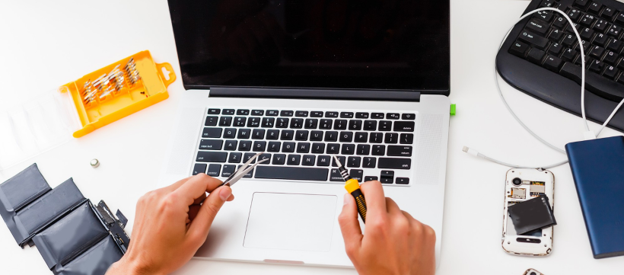
Most people don’t replace a phone or laptop simply because it’s old. They replace it because it’s become unreliable, frustrating to use, or expensive to keep patching up. The hard part is figuring out whether a repair will genuinely extend the device’s life, or just delay the inevitable.
A handful of questions can help settle that:
- Does the repair actually suit the device’s current condition?
- Can it bring back reliable everyday performance?
- Is the device still getting software and security updates?
- Might upgrading a component make more sense than buying new outright?
- Would a professionally tested replacement deliver better value in the long run?
AMT Electronics has spent over three decades providing Electronics Repairs in Melbourne. Every device gets judged on hardware condition, software support, repairability, and expected lifespan, together rather than in isolation. Age alone rarely tells the full story. The focus stays on finding whichever option delivers the most long-term value.
Repairing an older phone or laptop is often the smarter move when the problem sits with one or two components, software support is still active, and the fix is likely to restore reliable day-to-day performance. If several major parts are failing, or the manufacturer has dropped support altogether, replacement tends to offer better long-term value. Contacting experts with electronics repairs in Melbourne such as AMT Electronics helps customers weigh up the overall condition of their device.
When Is Repairing an Old Phone or Laptop Actually Worth It?
A single fault rarely signals that a whole device has hit the end of the road. Plenty of phones and laptops keep performing well after swapping out one worn or damaged part.
Repairs tend to make sense when the rest of the device holds up well, and the fix actually addresses the root cause rather than papering over symptoms.
A few common examples:
- Replacing a worn battery that no longer holds charge
- Repairing a damaged charging port
- Replacing a cracked display while the internal hardware stays fine
- Upgrading a traditional hard drive to a solid-state drive (SSD)
- Replacing a faulty keyboard or trackpad
Customers after iPhone Repairs in Melbourne quite often assume a cracked screen means it’s time to buy new. That’s not always true. In plenty of cases, the display is the only thing damaged. If the motherboard, cameras, battery, and charging system remain in good shape, replacing the screen alone can bring the phone back to reliable daily use.
Laptop owners run into a similar surprise. Customers requiring a Laptop Repair Service in Melbourne are often taken aback by how much an SSD or memory upgrade can change things. Older laptops that feel sluggish because of ageing storage or tight memory frequently come back to life after a targeted upgrade, ready for work, study, or everyday home use again.
Technician’s Insight
One of the clearest signs a repair is worth doing is an isolated fault. If unrelated problems start stacking up within a short stretch, though, say battery issues, charging faults, and screen problems all at once, that usually points to a device nearing the end of its economical service life.

Repair or Replace? A Practical Comparison
Weighing the overall condition of the device tends to make this decision easier than fixating on today’s repair quote alone.
| Repair is usually the better option | Replacement may be the better option |
|---|---|
| Only one major component has failed | Multiple unrelated components are failing |
| The device still receives software updates | Manufacturer support has ended |
| Replacement parts are readily available | Parts are difficult or impossible to source |
| Everyday performance still meets your needs | Your work now requires significantly higher performance |
| The repair is expected to restore reliable operation | Future reliability remains uncertain after repair |
Every situation looks a bit different. A premium device with one hardware fault might well justify repair, while an entry-level device juggling several developing problems could be more practical to replace outright.
What Technical Factors Should You Consider Before Deciding?
The visible problem is often just one piece of a bigger picture. Experienced technicians check the complete health of a device before recommending repair or replacement.
1. Battery Condition
Battery performance fades naturally over time. Reduced battery life on its own rarely means a phone or laptop needs replacing. Swapping the battery alone quite often restores dependable day-to-day performance, without touching anything else in the device.
2. Storage Health
Storage trouble is a common culprit behind poor laptop performance.
A failing hard drive can lead to:
- Slow startup times
- File access errors
- Unexpected crashes
- Freezing during normal use
Replacing the storage drive, particularly with an SSD where it fits, often improves reliability and responsiveness without the cost of a new computer.
3. Cooling Performance
Dust buildup, blocked vents, and ageing thermal compounds can all push operating temperatures higher than they should be. Left unchecked, this heat starts causing problems of its own.
Excessive heat may lead to:
- Reduced processing performance
- Unexpected shutdowns
- Increased fan noise
- Accelerated wear on internal components
A proper clean and some routine maintenance usually brings temperatures back under control, with reliability improving alongside it.
4. Memory Capacity
Insufficient RAM affects multitasking more than most people realise. If your laptop slows down noticeably with several applications open, a memory upgrade may be worth it, provided the device actually supports expansion.
5. Motherboard Condition
The motherboard connects almost every part of a phone or laptop, which makes it the central piece of the puzzle.
Damage from any of these needs careful diagnosis before a repair decision gets made:
- Liquid exposure
- Electrical faults
- Physical impact
- Power surges
For higher-value devices, motherboard repair can still represent solid value. For older entry-level models already showing other faults, replacement tends to be the more practical route.
6. Availability of Replacement Parts
One factor a lot of buying guides skip over entirely is parts availability. Common phone and laptop components generally remain easy to source, but parts for discontinued or older models can get harder to find over time.
A few things worth confirming with your technician first:
- Will the replacement part match the original’s performance?
- Are genuine or high-quality compatible options actually on hand?
- Could future repairs get trickier as parts availability shrinks?
Clear answers here go a long way toward setting realistic expectations, both for this repair and the device’s serviceability down the road.

How Does Software Support Influence the Decision?
Even hardware running perfectly eventually hits a wall once software support ends.
Manufacturers stop rolling out operating system updates and security patches for older devices sooner or later. The device keeps working after that point, technically, but it slowly loses compatibility with modern apps and becomes more exposed to security risks.
Smartphones losing software support tend to run into:
- Banking and financial apps becoming incompatible
- Reduced compatibility with newer applications
- Increased exposure to security vulnerabilities
- Features gradually becoming unavailable
Laptops stuck on an unsupported operating system face a different but related list:
- Reduced browser compatibility
- Limited driver support
- Security risks
- Difficulty installing newer business and productivity software
Plenty of customers coming in for Mac repair in Melbourne own devices that still run beautifully on the hardware side. Even so, it’s worth checking whether the model still receives macOS updates and security support before sinking money into a significant repair. Reliable hardware only delivers real value when it’s paired with ongoing software compatibility.
Practical Insight
Plenty of online repair guides focus almost entirely on hardware and leave software out of the conversation. In reality, it deserves equal weight. A device running flawlessly but missing important security updates might not offer the long-term protection most users are counting on.
How Much Should You Spend on Repairs?
There’s no universal dollar figure that settles whether a repair is worthwhile. Technicians with real experience look instead at how much value a repair is likely to add over whatever’s left of the device’s working life.
A repair generally makes more sense when:
- Only one significant component needs attention
- The remaining hardware is in good overall condition
- The device still receives software updates
- Quality replacement parts are available
- The repair is expected to restore dependable everyday performance
Replacement starts looking better once several costly repairs pile up in a short window, or once future reliability becomes genuinely uncertain.
Rather than fixating on today’s repair cost alone, it helps to think ahead. How will the device likely perform over the next few years, and will it keep up with what you actually need from it?
Is Buying a New Device Always the Better Investment?
Not necessarily. Sure, a new phone or laptop brings the latest hardware, better performance, and longer software support. That doesn’t automatically make replacement the most cost-effective path forward, though.
The better option really depends on how you use your device day to day.
If your daily activities mostly involve:
- Web browsing
- Video calls
- Microsoft Office
- Streaming
- Online banking
a professionally repaired device can keep serving you well for years to come.
If your work leans toward video production, 3D modelling, software development, engineering applications, or intensive graphic design, though, newer hardware may bring productivity gains that genuinely justify replacing the device.
The goal should be matching the solution to your actual requirements, not defaulting to whatever’s newest on the shelf.
Could a Professionally Tested Pre-Owned Device Be the Better Choice?
Sometimes neither repairing your current device nor buying brand-new hits the mark.
That’s where Pre-Owned Samsung Mobiles and Pre-Owned Desktop Computers, professionally tested beforehand, tend to land well. They strike a solid balance between affordability, reliability, and performance.
These options tend to suit:
- Students
- Small businesses
- Home office users
- Families needing an additional computer
- Customers replacing a device beyond economical repair
Buying a professionally tested pre-owned device also cuts down on electronic waste, while still delivering dependable performance for everyday computing and communication. Rather than framing it as new versus old, many customers get better value comparing total cost, expected lifespan, and intended use across every available option.
Don’t Forget About Your Data
One thing plenty of repair guides skip over entirely is data. Even when replacing the device turns out to be the better long-term call, a temporary repair may still be worth doing purely to recover valuable files first.
That might include:
- Family photographs
- Business documents
- University assignments
- Financial records
- Personal files
- Software licences
In plenty of situations, preserving that information ends up mattering more than the device itself. Before writing off an older phone or laptop, it’s worth discussing data recovery options with your technician first.
Is Repairing Your Device Better for the Environment?
Electronic waste keeps growing year on year, which makes repair an environmentally responsible choice whenever it’s practical.
Extending the life of an existing phone or laptop helps cut down on:
- Electronic waste entering landfill
- Demand for manufacturing new devices
- Consumption of raw materials
- Energy tied to producing replacement electronics
Environmental factors shouldn’t outweigh reliability or security, of course, but they’re a genuine bonus when repairing a device that still has years of useful service left in it.
Questions to Ask Before Approving Any Repair
A few practical questions are worth putting to your technician before signing off on any repair:
- Is the problem limited to one component, or are there multiple developing faults?
- Will the repair restore reliable everyday performance?
- Does the device still receive software and security updates?
- Are quality replacement parts available?
- Is anything else likely to need repair in the near future?
- Would upgrading the device offer better long-term value than replacing it?
A trustworthy repair recommendation looks at the device’s overall condition, rather than just quoting for whatever fault is obvious on the surface.
Conclusion
Choosing between repairing and replacing a phone or laptop shouldn’t come down to age alone. Several factors deserve a seat at the table together, hardware condition, ongoing software support, parts availability, your everyday usage, and the expected lifespan once repaired.
AMT Electronics brings 30 years of experience in electronics repairs in Melbourne, helping customers understand the full condition of their devices before recommending the most practical way forward. Regardless of whatever you choose, an informed decision now can save you money, spare you an unnecessary upgrade, and keep your tech running with confidence. Get in touch with us if you are looking for trusted professional expertise.
FAQs
Will repairing my phone or laptop affect my personal data?
Most common hardware repairs leave your files and personal information untouched. That said, if a device has serious storage damage or needs extensive system work, there’s always some level of risk involved. Backing up important data before any repair is the safest approach whenever the device is still accessible.
Are genuine parts always necessary for a quality repair?
Not all the time. It will depend on the device, but trusted repair providers will be able to offer either genuine parts or high quality compatible parts that last just as well. Most importantly, you need to know exactly how durable they are, which ones are the right ones and if they are compatible with your device.
How can I tell if my device is slowing down because of hardware or software?
It isn’t always ageing hardware that causes performance problems. Old software, limited storage, background apps or operating system issues can all quickly slow your device down. Before recommending any repairs or upgrades a good diagnostic assessment determines what the root cause of the problem is.
What should I bring with me when taking a device in for repair?
If you can bring your charger and make sure you give proper details of when the problem started. Tell the technician if you have experienced any recent impacts, exposure to liquid or error messages and if the problem is consistent or intermittent. Such detailed information makes it easier for technicians to pinpoint faults and reduce the time spent on unnecessary repairs.